
Metrics Overview
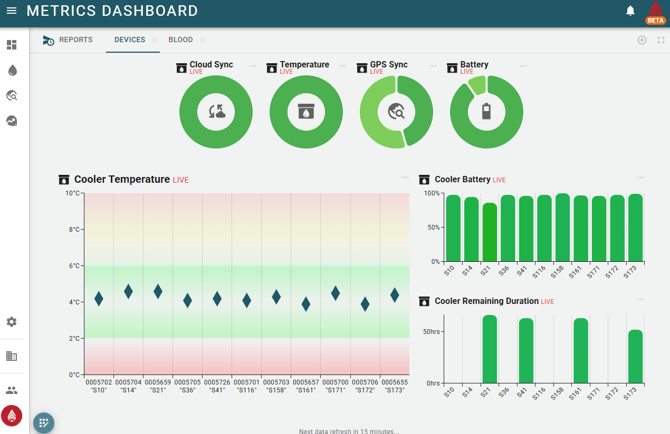
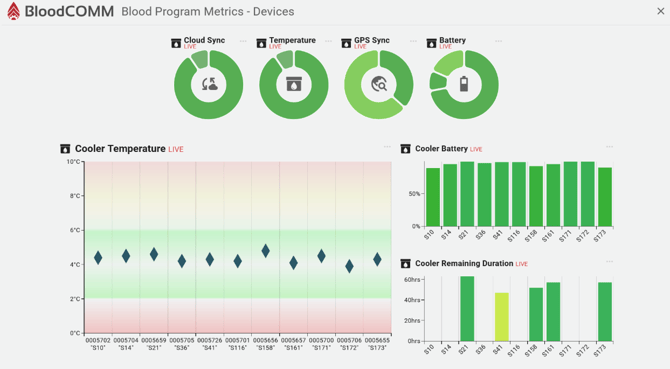
The Metrics dashboard has a series of predefined dashboards, however they are able to be edited and customized to meet your organization's needs. The default dashboards include:
- Device Status Overview
- Displays the current status of all devices, including online/offline status, temperature readings, and battery levels.
- Blood Unit Metrics
- Shows key metrics related to blood units, such as total units tracked, units nearing expiration, and units with temperature excursions.
Interacting with the Dashboard
You can interact with the dashboard in several ways:
- Add a new Dashboard
- Click the plus button at the top right to create a new dashboard tailored to your needs.
- Edit Existing Dashboards
- Click the edit icon on the bottom left of any dashboard to modify its layout, metrics, and appearance.
- Edit Specific Metrics
- Click the three dots on any metric to edit its size, settings (if applicable), and view a help article about that specific metric.
- Remove a Dashboard
- Click the X icon on the tab for any dashboard to remove it from your view.
- Click on a Metric
- Clicking on certain metrics will open a sidebar, displaying detailed information about that metric.
Fullscreen Mode
To enter fullscreen mode, click the fullscreen icon located in the top right corner of the dashboard. This mode is ideal for displaying the dashboard on a large screen or TV, as it prevents the monitor from sleeping and provides an unobstructed view of your metrics.
The data will automatically refresh every 15 minutes to ensure you are viewing the most current information.
Customizability
The dashboard is highly customizable to fit your organization's needs. For details on customization, see the next article.
While BloodCOMM primarily reports realtime metrics at this time, additional metrics are in development. Please contact support@deltadevteam.comfor more information, or if there are specific metrics you would like to see.