
Events should only be edited in the case of a data entry error or to add missing information. All edits are documented in the system and are visible to all users. Edit history is permanently saved and can be reviewed at any time.
Accessing the Event Editing Interface
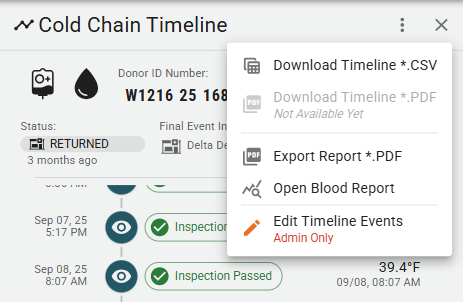
Administrators can access the event editing interface by selecting "Edit Event Timeline" from the dropdown menu on a blood unit's timeline page. This will open the editing interface, where they can select the specific event to edit. Some blood events, such as Registration events, cannot be edited.
Editing an Event
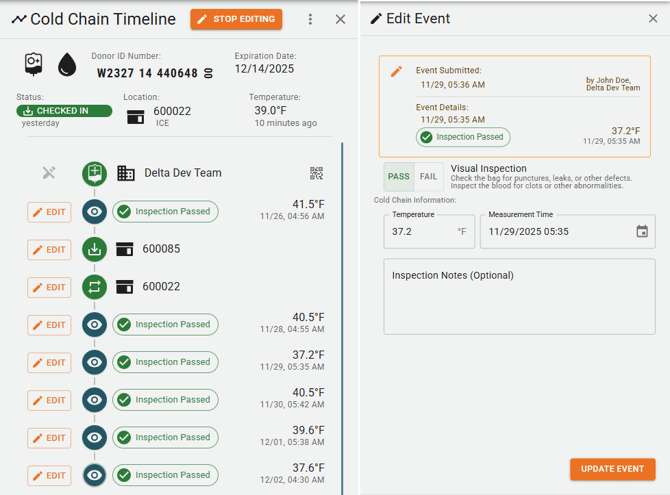
Editable events will have an Edit button next to them. Clicking this button will open the relevant event panel. From here, an administrator can modify the data fields as necessary. Save and submit the changes by selecting Update Event at the bottom of the event panel.
Please note that events can only be edited by users with Admin privileges. Additionally, events can only be edited by users within the same organization that created them.
Reviewing Edit History
BloodCOMM maintains a comprehensive edit history for all events. Edited events are marked with an orange indicator on the blood unit's timeline. Clicking on the edited event's icon will open a detailed view of the event's history. All users can view this history to see what changes were made, who made them, and when.